カスタムのプロンプト評価ワークフローを構築するには、まず堅実なプロンプトを作成し、それからテストデータを生成してパフォーマンスを確認することから始めます。ここでは、ユーザーがAWS固有のコードを書くのを支援するプロンプトの評価システムを設定する手順を見ていきましょう。
ゴールの設定
今回のプロンプトは、AWSのユースケース向けに3種類の特定の出力をユーザーが書けるよう支援する必要があります。
- Pythonコード
- JSON設定ファイル
- 正規表現
重要な要件は、ユーザーがあるタスクの支援を求めたとき、余計な説明やヘッダー、フッターなしで、これらの形式のいずれかでクリーンな出力を返すことです。
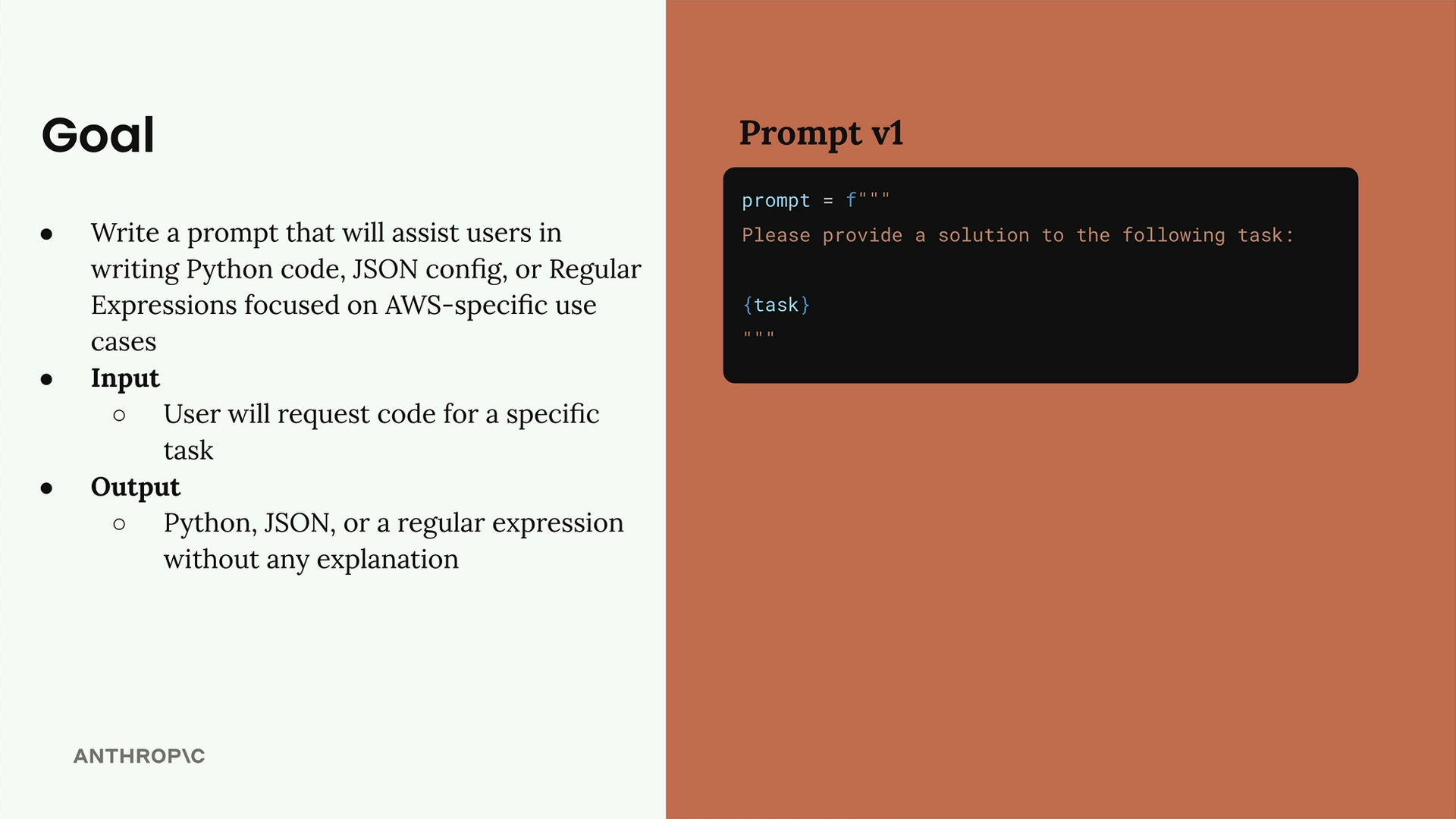
以下が私たちの最初のプロンプト(バージョン1)です。
prompt = f"""
Please provide a solution to the following task:
{task}
"""
評価用データセットの作成
評価用データセットには、プロンプトに入力する値が含まれます。プロンプトと入力の組み合わせごとに、プロンプトを実行して結果を分析します。
データセットはJSONオブジェクトの配列で、各オブジェクトにはClaudeに実行してほしい内容を記述する「task」プロパティが含まれます。このデータセットは手作業で作成することも、Claudeを使って自動生成することもできます。
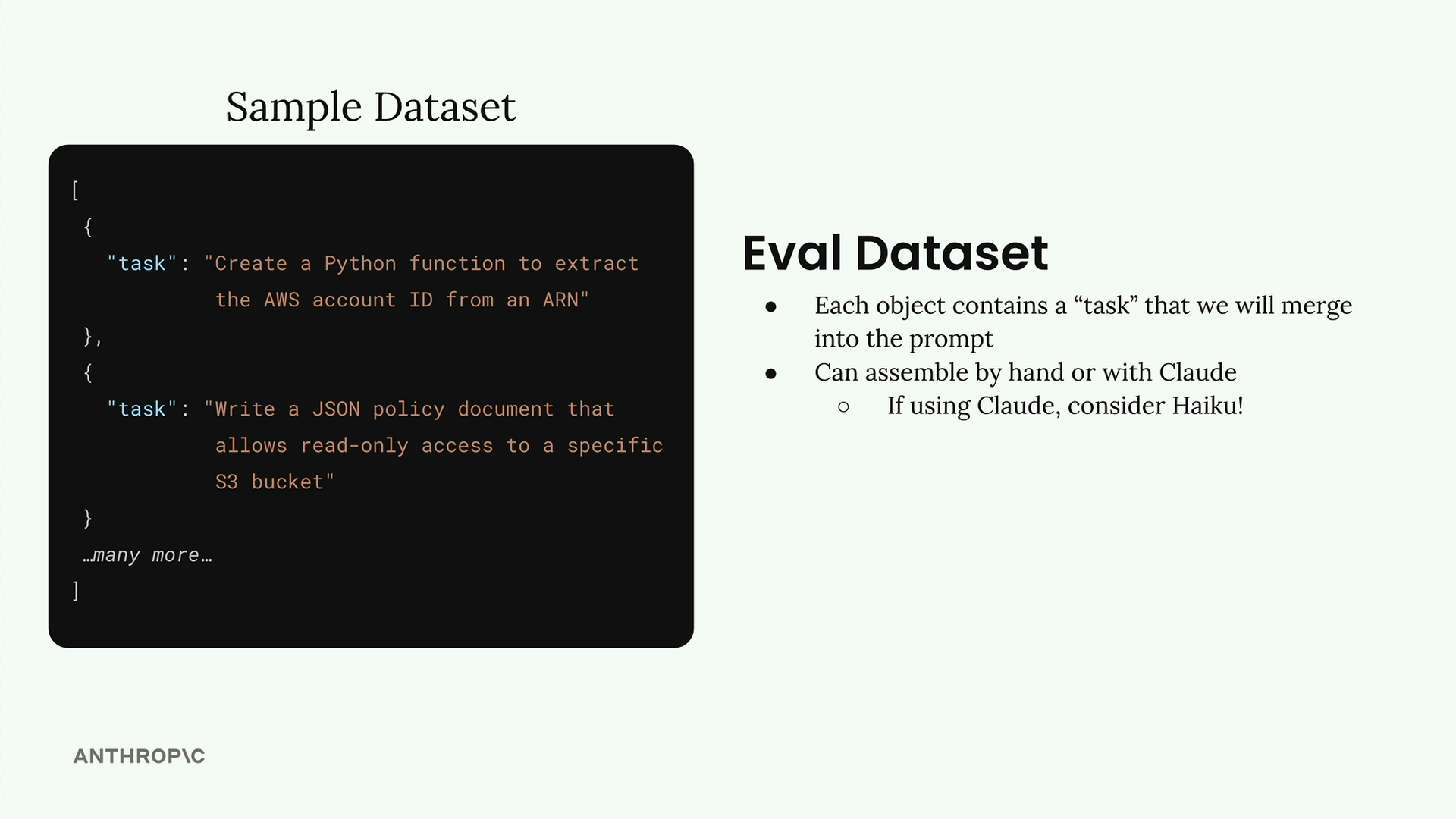
今回はテストデータを生成しているので、フルサイズのClaudeモデルではなく、Haikuのような高速なモデルを使う絶好の機会です。
コードによるテストデータの生成
テストデータセットを自動生成する関数を作成しましょう。まず、Claudeを扱うためのヘルパー関数が必要です。
def add_user_message(messages, text):
    user_message = {"role": "user", "content": text}
    messages.append(user_message)

def add_assistant_message(messages, text):
    assistant_message = {"role": "assistant", "content": text}
    messages.append(assistant_message)

def chat(messages, system=None, temperature=1.0, stop_sequences=[]):
    params = {
        "model": model,
        "max_tokens": 1000,
        "messages": messages,
        "temperature": temperature
    }
    if system:
        params["system"] = system
    if stop_sequences:
        params["stop_sequences"] = stop_sequences

    response = client.messages.create(**params)
    return response.content[0].text
次に、データセット生成用の関数を作成します。
def generate_dataset():
    prompt = """
Generate an evaluation dataset for a prompt evaluation. The dataset will be used to evaluate prompts that generate Python, JSON, or Regex specifically for AWS-related tasks. Generate an array of JSON objects, each representing task that requires Python, JSON, or a Regex to complete.

Example output:
```json
[
  {
    "task": "Description of task",
  },
  ...additional
]
```

* Focus on tasks that can be solved by writing a single Python function, a single JSON object, or a single regex
* Focus on tasks that do not require writing much code

Please generate 3 objects.
"""
JSONレスポンスを適切にパースするために、プリフィルとストップシーケンスを使用します。
    messages = []
    add_user_message(messages, prompt)
    add_assistant_message(messages, "```json")
    text = chat(messages, stop_sequences=["```"])
    return json.loads(text)
データセット生成のテスト
関数を実行して、どのようなテストケースが得られるか見てみましょう。
dataset = generate_dataset()
print(dataset)
これにより、対象の出力であるPython関数、JSON設定、そしてAWS固有のタスク向けの正規表現をカバーする3種類の異なるテストケースが返されるはずです。
データセットの保存
データセットができたら、後で評価時に簡単に読み込めるようファイルに保存します。
with open('dataset.json', 'w') as f:
json.dump(dataset, f, indent=2)これにより、ノートブックと同じディレクトリにdataset.jsonファイルが作成され、プロンプト評価用に準備されたタスクのリストが格納されます。
この基盤が整えば、さまざまな種類のAWS関連コーディングタスクにわたって、プロンプトのパフォーマンスを評価するためのテストデータを体系的に生成する方法が身についたことになります。