加载中
MCP 服务器可以定义提示——预先编写的、高质量的指令,客户端可以使用这些指令,而不必从头开始编写自己的提示。将提示看作是精心制作的模板,它们比用户自己可能写出的内容能带来更好的结果。
为什么要使用提示?
假设您想让 Claude 将一份文档重新格式化为 markdown。您可以直接问"将 report.pdf 转换为 markdown",这样也能正常工作。但如果使用一个经过充分测试、考虑了边缘情况并给出具体格式化指令的详细提示,您可能会获得好得多的结果。
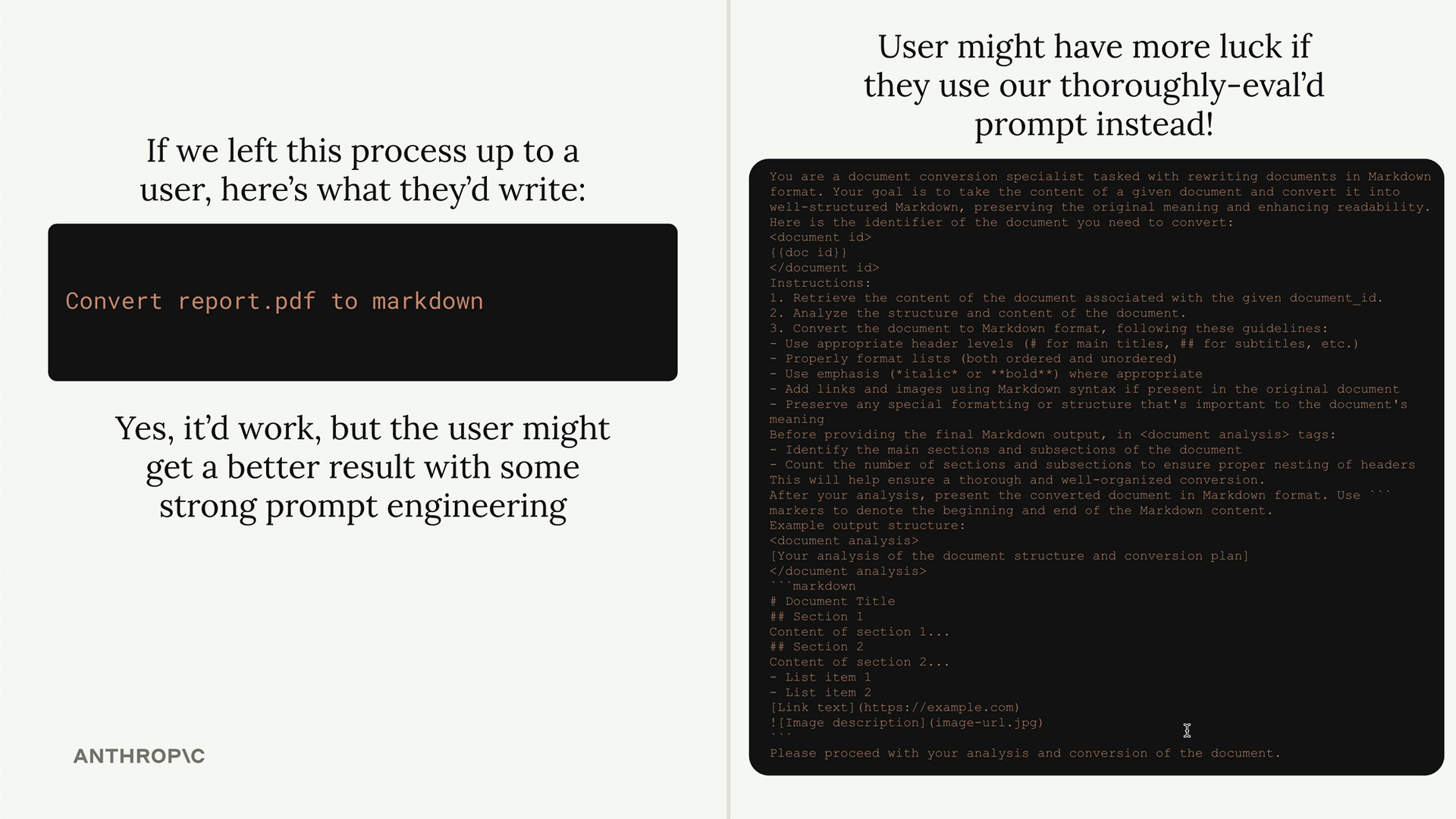
这个想法很简单:作为 MCP 服务器开发者,我们可以花时间精心设计和测试非常好的提示,然后将它们提供给使用我们服务器的任何人。用户无需自己成为提示工程专家,就能获得更好的结果。
定义一个提示
提示使用与工具和资源类似的装饰器模式。以下是基本结构:
python
@mcp.prompt(
    name="format",
    description="Rewrites the contents of the document in Markdown format."
)
def format_document(
    doc_id: str = Field(description="Id of the document to format")
) -> list[base.Message]:
    # 返回消息列表
该函数返回一个消息列表,这些消息可以直接发送给 Claude。这让您可以在需要时构建包含多条用户消息和助手消息的复杂提示。
构建格式化提示
对于我们的文档服务器,我们将创建一个将文档重新格式化为 markdown 的提示。该提示需要:
- 将文档 ID 作为输入
- 使用 read_doc_contents 工具获取文档
- 使用正确的 markdown 语法重新格式化它
- 将更改保存回文档
以下是具体实现方式:
python
def format_document(
    doc_id: str = Field(description="Id of the document to format")
) -> list[base.Message]:
    prompt = f"""
Your goal is to reformat a document to be written with markdown syntax.

The id of the document you need to reformat is:

{doc_id}


Add in headers, bullet points, tables, etc as necessary. Feel free to add in structure.
Use the 'edit_document' tool to edit the document. After the document has been reformatted...
"""

    return [
        base.UserMessage(prompt)
    ]
测试提示
定义好提示之后,您可以使用 MCP Inspector 对其进行测试。导航到 Prompts 选项卡,选择您的提示,并提供所需的参数。
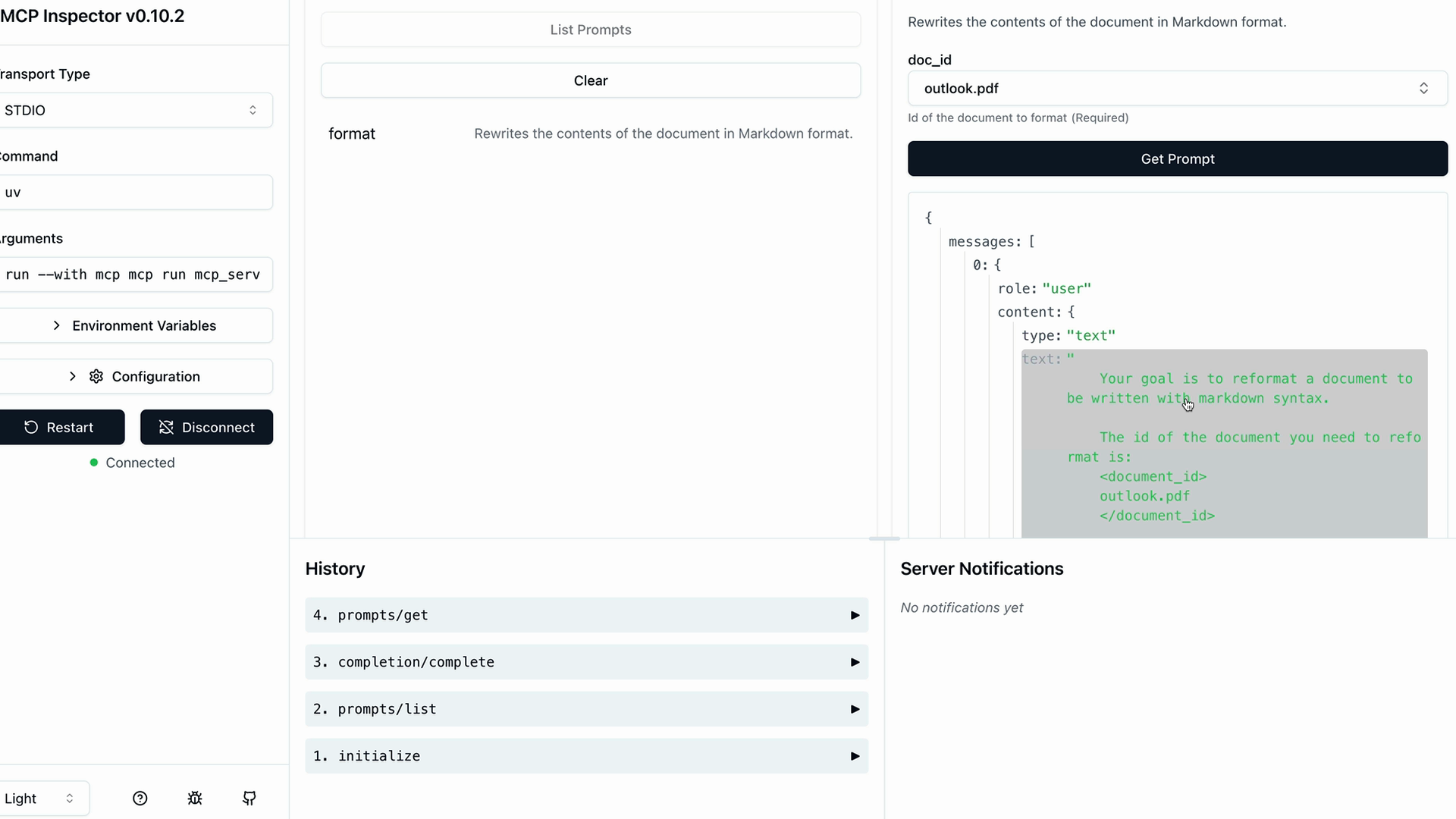
检查器将向您显示将发送给 Claude 的生成消息。您可以验证参数插值是否正确工作,以及您的提示是否包含了所有必要的指令。
主要优势
- 质量控制 - 服务器作者可以在用户看到提示之前对其进行测试和完善
- 一致性 - 每个人都能获得相同的高质量提示,而不是临时即兴发挥
- 专业化 - 提示可以针对您服务器的特定领域和能力进行定制
- 可重用性 - 多个客户端应用程序可以使用同一套精心制作的提示
请记得导入消息类型的基础模块:
python
from mcp.server.fastmcp.prompts import base当您的 MCP 服务器具有特定的专注领域时——比如文档管理、数据分析或代码生成——提示尤其有价值。您可以为用户提供经过实战检验的提示,有效地利用您服务器的工具。