加载中
Claude可以原生地同时运行多个工具,但某些版本并没有像您期望的那样充分利用这一点。通过实现一个批量工具,您可以大大增加Claude在单个消息中进行多次工具调用的可能性。
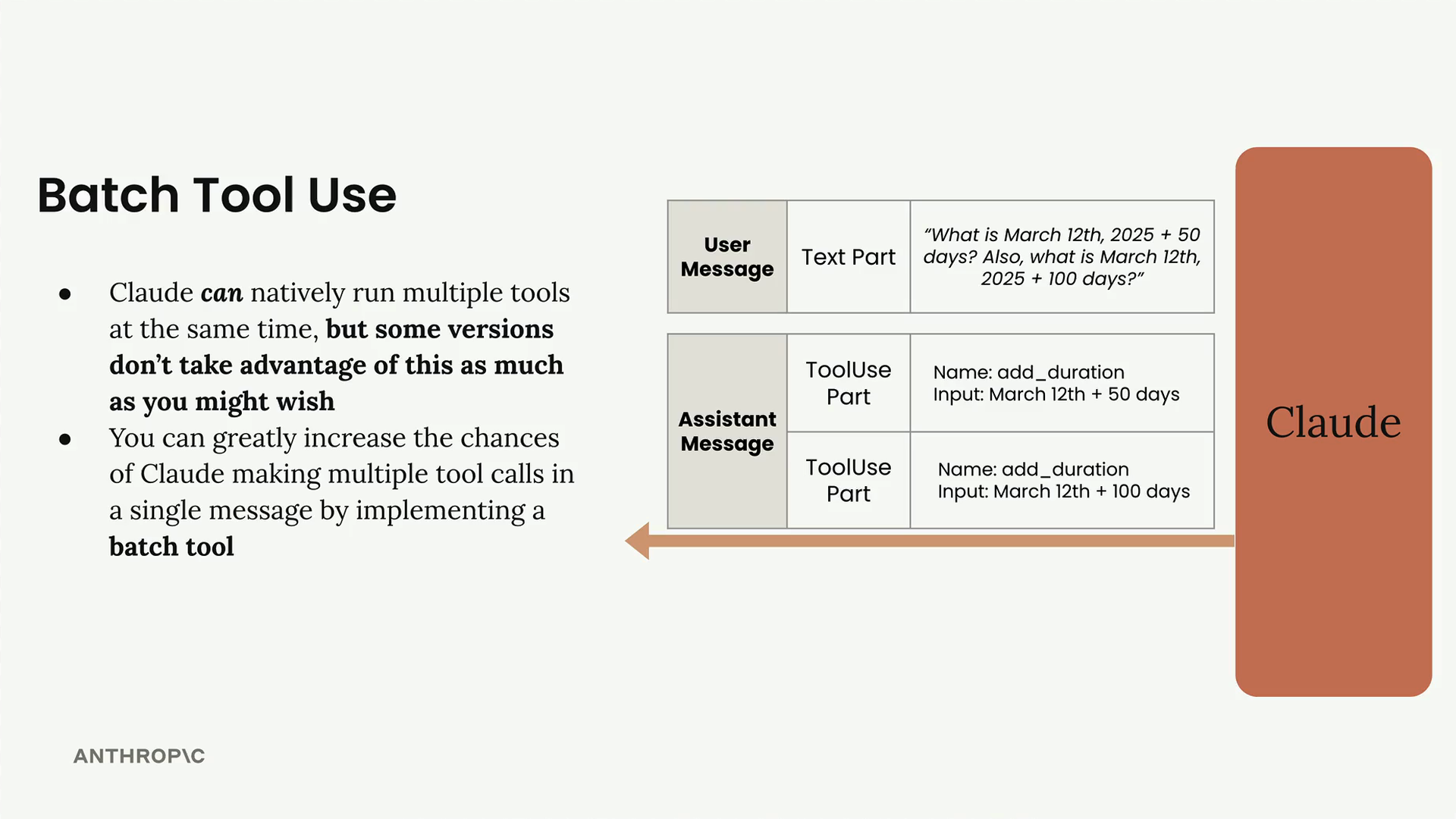
当Claude在消息中发送回工具使用部分时,单次响应中可能会有多个工具请求。例如,如果您问"2025年3月12日加50天是多少?另外,2025年3月12日加100天是多少?",Claude理论上可以返回两个独立的工具使用部分——每个计算一个。由于这些操作彼此不依赖,它们是完全可并行化的。
然而,Claude并不总是像您期望的那样尝试并行化工具调用。它通常会按顺序进行调用,而不是同时进行两次调用,这样效率较低。
批量工具的工作原理
批量工具的实现方式与任何其他工具相同——您需要一个工具规范和一个函数来处理它被调用时的情况。关键思路是创建一个可以同时调用多个其他工具的工具。
以下是批量工具规范的基本结构:
json
{
  "name": "batch_tool",
  "description": "Invoke multiple other tool calls simultaneously",
  "input_schema": {
    "type": "object",
    "properties": {
      "invocations": {
        "type": "array",
        "description": "The tool calls to invoke",
        "items": {
          "type": "object",
          "properties": {
            "name": {
              "type": "string",
              "description": "The name of the tool to invoke"
            },
            "arguments": {
              "type": "string",
              "description": "The arguments to the tool, encoded as a JSON string"
            }
          },
          "required": ["name", "arguments"]
        }
      }
    },
    "required": ["invocations"]
  }
}
该工具接受一个调用列表,其中每个调用都包含要调用的工具名称及其参数(编码为JSON字符串)。
实现
批量工具的实现涉及两个主要函数:
run_batch函数
python
def run_batch(tool_input):
    batch_output = []
    for invocation in tool_input["invocations"]:
        tool_name = invocation["name"]
        args = json.loads(invocation["arguments"])

        tool_output = run_tool(tool_name, args)
        batch_output.append({"tool_name": tool_name, "output": tool_output})

return batch_output该函数遍历每个调用,提取工具名称和参数,使用现有的run_tool函数调用相应的工具,并收集所有结果。
添加到run_tool
您还需要在主run_tool函数中添加一个分支:
python
elif tool_name == "batch_tool":
return run_batch(tool_input)请注意,与其他工具不同,您直接传递tool_input而不使用解包操作符(**),因为批量工具需要处理原始输入结构。
结果
当您实现批量工具并运行相同的日期计算查询时,您在消息日志中看到的不再是两个单独的工具调用,而是对批量工具的单次调用。这次单独调用将两个日期计算都作为子调用包含在内,从而有效地将这些操作并行化。
当您有多个可以同时执行的独立操作时,批量工具特别有用。通过"诱导"Claude使用这种模式,您可以显著提高工具调用工作流程的效率。