加载中
编写完工具函数后,下一步是创建一个 JSON 模式(schema),告诉 Claude 您的函数需要哪些参数以及如何使用它。这个模式充当文档,供 Claude 读取以理解何时以及如何调用您的工具。
理解 JSON Schema
JSON Schema 并非 AI 或工具调用所专有——它是一个已经存在多年、被广泛使用的数据验证规范。AI 社区采用它,是因为它是描述函数参数和验证数据的便捷方式。
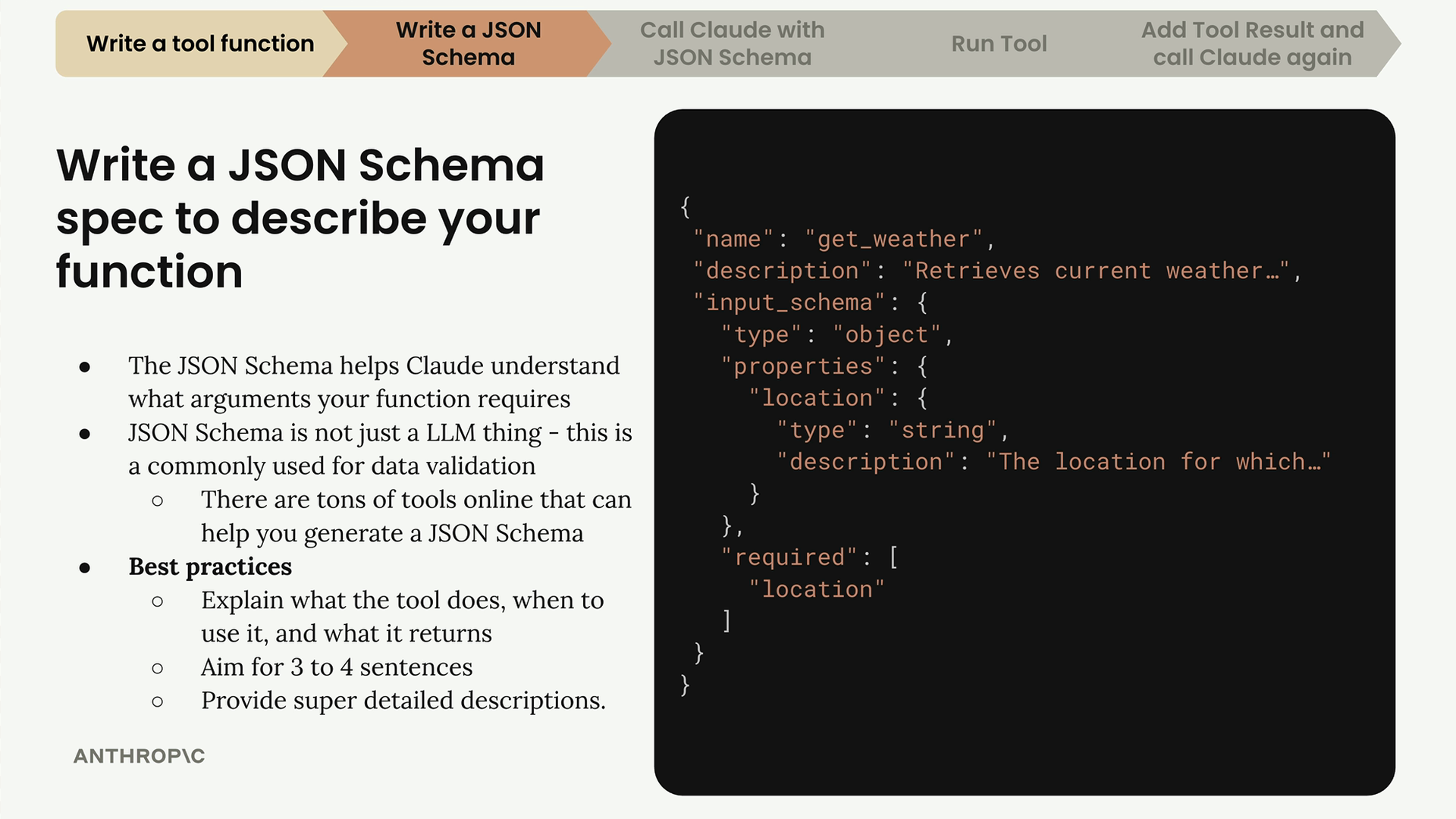
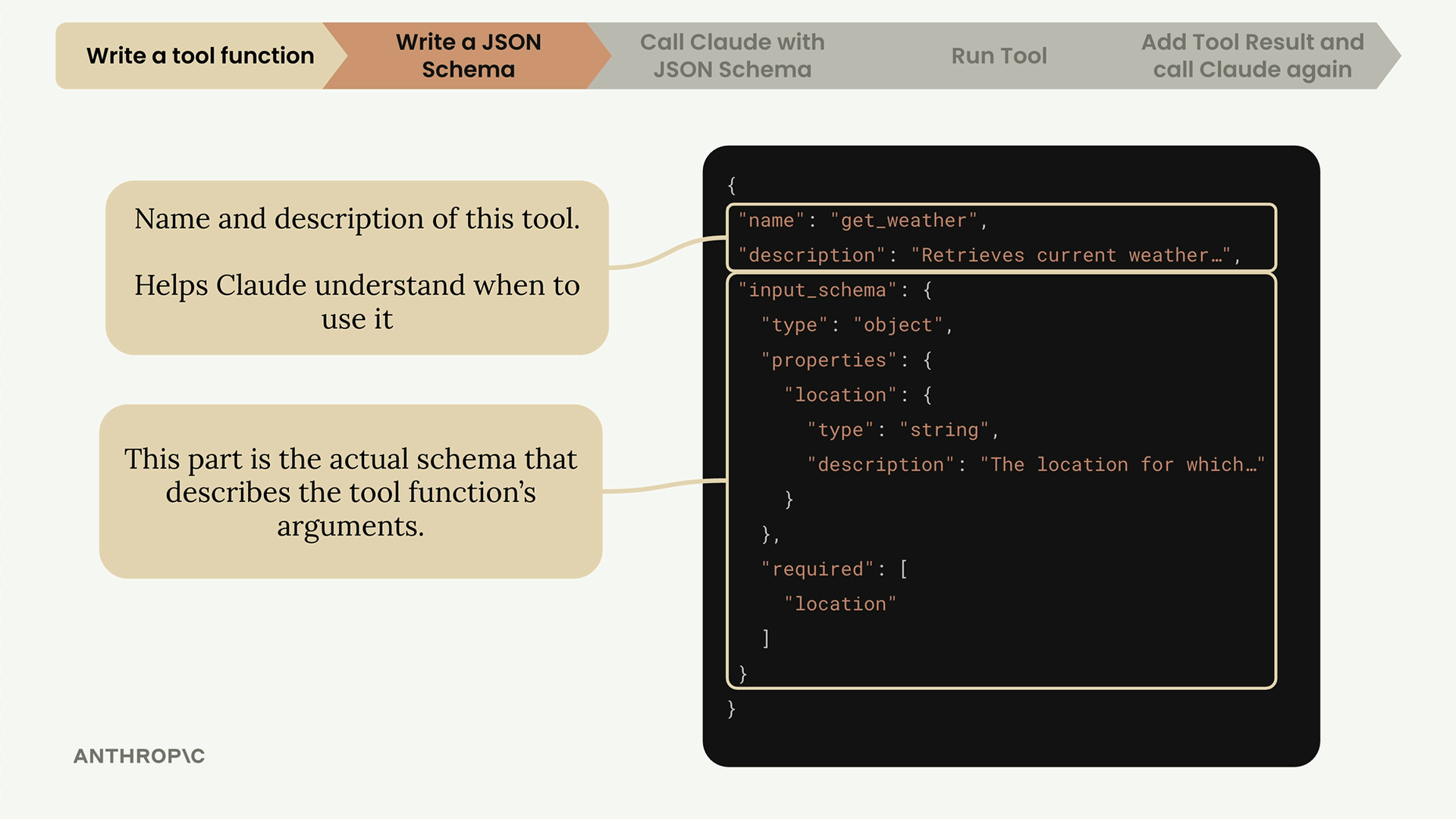
完整的工具规范有三个主要部分:
- name(名称) - 您的工具的清晰、描述性的名称(如 "get_weather")
- description(描述) - 该工具做什么、何时使用它,以及它返回什么
- input_schema(输入模式) - 描述函数参数的实际 JSON 模式
编写有效的描述
工具描述对于帮助 Claude 理解何时使用您的函数至关重要。最佳实践包括:
- 力求用 3-4 句话解释该工具的作用
- 描述 Claude 应在何时使用它
- 说明它返回什么样的数据
- 为每个参数提供详细的描述
生成模式的简便方法
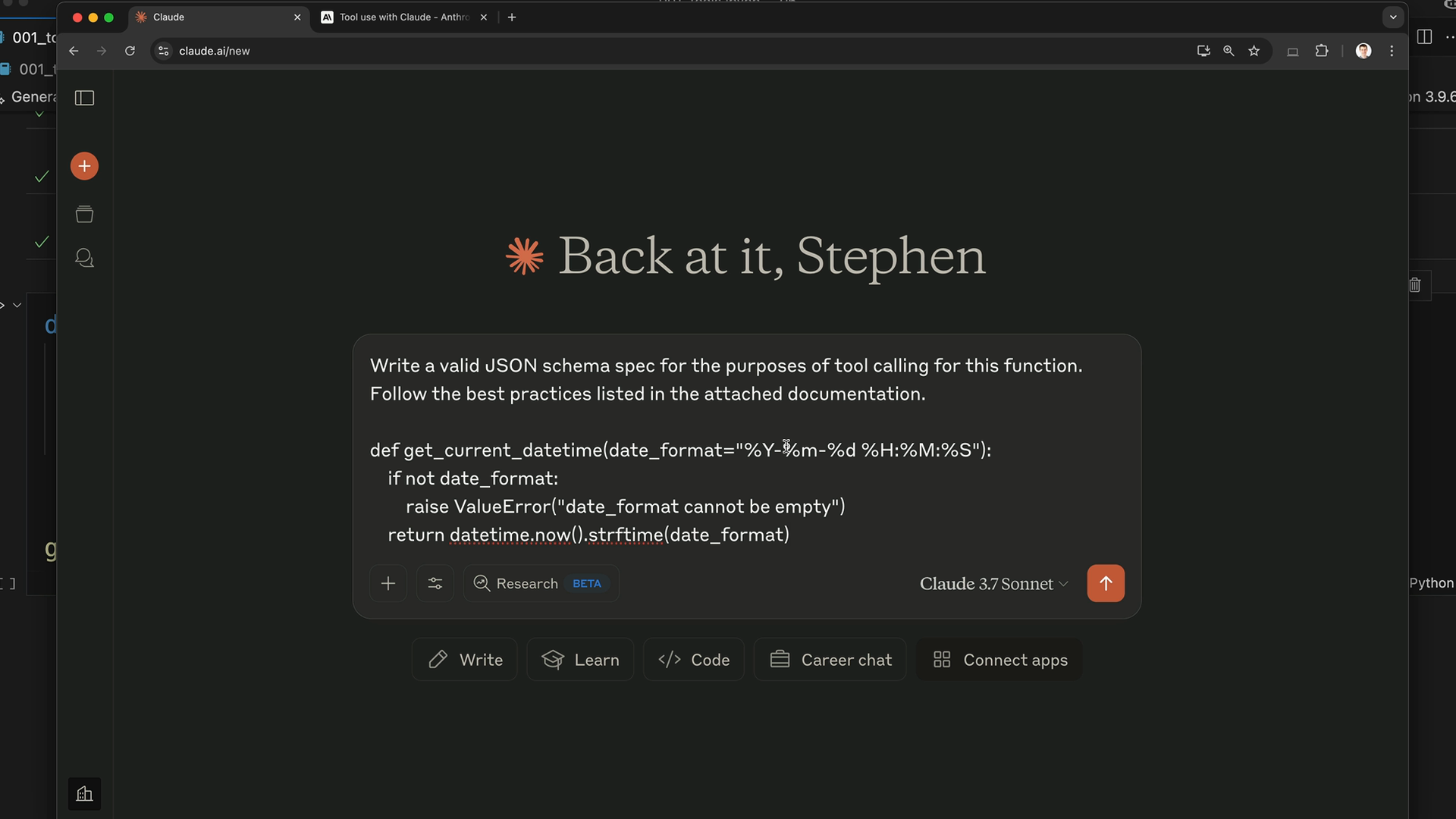
您可以使用 Claude 本身来生成 JSON 模式,而不必从头编写。以下是具体流程:
- 复制您的工具函数代码
- 前往 Claude,请它为工具调用编写一个 JSON 模式
- 将 Anthropic 关于工具使用的文档作为上下文一并提供
- 让 Claude 按照最佳实践生成格式正确的模式
提示词大致应为:"为这个函数编写一个用于工具调用目的的有效 JSON 模式规范。遵循所附文档中列出的最佳实践。"
在代码中实现该模式
Claude 生成您的模式后,将其复制到您的代码文件中。以下是一个值得遵循的良好命名模式:
python
def get_current_datetime(date_format="%Y-%m-%d %H:%M:%S"):
    if not date_format:
        raise ValueError("date_format cannot be empty")
    return datetime.now().strftime(date_format)

get_current_datetime_schema = {
    "name": "get_current_datetime",
    "description": "Returns the current date and time formatted according to the specified format",
    "input_schema": {
        "type": "object",
        "properties": {
            "date_format": {
                "type": "string",
                "description": "A string specifying the format of the returned datetime. Uses Python's strftime format codes.",
                "default": "%Y-%m-%d %H:%M:%S"
            }
        },
        "required": []
    }
}
采用 function_name 后跟 function_name_schema 的命名模式,以保持模式的有序性,并便于与对应的函数匹配。
增加类型安全
为了更好的类型检查,请从 Anthropic 库中导入并使用 ToolParam 类型:
python
from anthropic.types import ToolParam

get_current_datetime_schema = ToolParam({
    "name": "get_current_datetime",
    "description": "Returns the current date and time formatted according to the specified format",
    # ……其余部分的 schema
})
虽然这对功能而言并非严格必要,但它能在您将该模式用于 Claude API 时防止类型错误,使您的代码更加健壮。