Claude Models on Google Cloud (Anthropic managed) lets you call Claude through your own Google Cloud project. Anthropic operates the Claude API. Google Cloud handles access, so you sign in with your Google credentials. Once the project is set up and your account has access, a first reply takes a few lines of Python.
Check which service you have
Google Cloud offers Claude as two services, and each has its own setup. The steps here are for Anthropic managed. The other service is Google managed, where Google operates Claude models as part of Google Cloud's Agent Platform. To tell which service you have, find something you already have in this table.
| What you already have | Your service |
|---|---|
The Python SDK client AnthropicGoogleCloud in your code | Anthropic managed |
The host claude.googleapis.com in your request URLs | Anthropic managed |
| The option labeled Anthropic managed, in the Google Cloud console | Anthropic managed |
The Python SDK client AnthropicVertex in your code | Google managed |
An Agent Platform host, such as aiplatform.googleapis.com, in your request URLs | Google managed |
| Claude models in Model Garden, in the Google Cloud console | Google managed |
If what you have points to Google managed, follow Set up Claude on Google Cloud (Google managed)(opens in new tab) instead.
What you need, and what it costs
You need these before you start:
- A Google Cloud project
- The gcloud CLI(opens in new tab), installed
- Python 3.10 or later
If you've just installed the gcloud CLI, sign it in with gcloud auth login or gcloud init. That's the gcloud CLI's own login, and step 2 of "Give yourself access" needs it. Application Default Credentials, which the SDK client uses, are a separate sign-in that comes in step 3.
You don't need an Anthropic API key, because this service doesn't use API keys.
Usage is billed, and the SDK client for this service is in beta. Billing goes through Google Cloud Marketplace, so the charges appear on your Google Cloud bill and Anthropic doesn't send a separate invoice. The one request you send here is billed too.
The commands below use placeholder values. Replace my-project-id with your project ID, you@example.com with your Google account, and wrkspc_01AbCdEf23GhIj with your workspace ID, which the next section explains.
Get the project ready, once
Setup creates a new Anthropic organization for your Google Cloud project. It's separate from any Anthropic organization your company already has. The new organization starts with one workspace, the Default Workspace, and everyone who calls this service needs that workspace's ID.
An admin usually does this part. If yours already has, ask them for the workspace ID and go on to "Give yourself access".
If you have an existing discount, contact your Anthropic or Google Cloud account representative before you start. Discounts can't be applied to past usage.
Then follow the steps in Set up your account(opens in new tab) in the docs. That section lists the permissions you need. The steps take you from subscribing in Google Cloud Marketplace to copying the workspace ID, which starts with wrkspc_. Pass the ID on to your developers.
The Marketplace subscription is made once, so to add another project, repeat the steps in that project, starting from step 2. If a step fails, see troubleshooting account setup(opens in new tab).
Give yourself access
Each developer who calls Claude does these steps in their own terminal, in order.
-
Set your project in gcloud.
bashgcloud config set project my-project-idTo see the project gcloud is using, run
gcloud config get-value project. -
Grant your account
roles/claude.user. The identity that makes the calls needs this role on the project.bashgcloud projects add-iam-policy-binding \ my-project-id \ --member="user:you@example.com" \ --role="roles/claude.user"You need permission to change the project's IAM policy to run this command. Without it, ask your admin to run the command for your account.
-
Sign in with Application Default Credentials (ADC). The SDK client gets its Google access token from ADC. For local development, run this command:
bashgcloud auth application-default loginTo check that ADC works, run
gcloud auth application-default print-access-token. -
Set two environment variables. The SDK client needs your project ID and your workspace ID.
bashexport ANTHROPIC_GOOGLE_CLOUD_PROJECT="my-project-id" export ANTHROPIC_GOOGLE_CLOUD_WORKSPACE_ID="wrkspc_01AbCdEf23GhIj"
Get a first reply
One request from Python shows that the whole setup works. Stay in the terminal where you set the two variables.
-
Install the SDK with its Google Cloud extra.
bashpip install -U "anthropic[google_cloud]" -
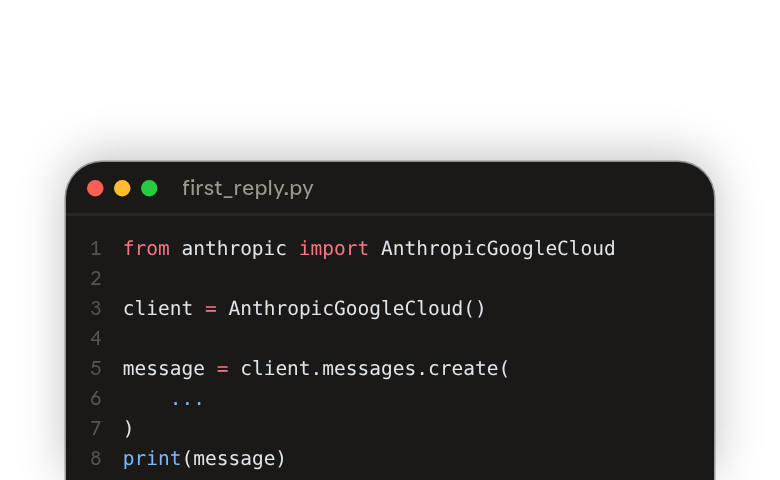
Save this file as
first_reply.py. It creates the client, which resolves your Google credentials itself. Then it sends one request and prints what comes back.pythonfrom anthropic import AnthropicGoogleCloud client = AnthropicGoogleCloud() message = client.messages.create( model="claude-opus-5-5", max_tokens=1024, messages=[{ "role": "user", "content": "Hello, Claude", }], ) print(message) -
Run the file.
bashpython first_reply.pyThe whole message prints in your terminal, with Claude's reply in its
content. If you get an error instead, go to the next section.
Check that the reply came through the project you meant. The client reads the project ID from ANTHROPIC_GOOGLE_CLOUD_PROJECT. Run echo "$ANTHROPIC_GOOGLE_CLOUD_PROJECT" in the same terminal. The value should be the ID of the project that you or your admin got ready. The project set in gcloud can be a different one, so check the variable.
To see the same request without the SDK, read the cURL sample(opens in new tab).
If the first request fails
Two common errors are a permission error and a model that isn't available.
If the client says the workspace ID is missing, set both variables again in this terminal, as in step 4 of "Give yourself access". For rate limits, contact Anthropic Support(opens in new tab).
A permission error
Google Cloud returns an HTTP 403 error when the caller lacks permission. Check two things on the project you're calling:
claude.googleapis.comis enabled. Rungcloud services list --enabled --project=my-project-idand look for its name.- Your account has
roles/claude.userorroles/claude.admin.
A new grant or a newly enabled service can take a moment to apply. If both checks pass, wait a moment and run first_reply.py again.
A model that isn't available
The error message reads Model {model} is not available for this organization's inference configuration. It comes back when you request a model that isn't available to your Anthropic organization. You can look up the models and their IDs(opens in new tab), and Anthropic Support(opens in new tab) handles Claude itself, including models and API errors.
Run any Claude API sample
To run a Claude API sample on this service, replace its import and its client constructor. The model ID stays the same, because this service uses the same model IDs as the Claude API. A sample that uses a feature this service doesn't support won't run, so check the short list of features not supported(opens in new tab) first.
Say a sample written for the Claude API looks like this:
import anthropic
client = anthropic.Anthropic()
message = client.messages.create(
model="claude-opus-5-5",
max_tokens=1024,
messages=[{
"role": "user",
"content": "Hello, Claude",
}],
)
print(message)After the swap, only the import and the client have changed:
from anthropic import AnthropicGoogleCloud

client = AnthropicGoogleCloud()

message = client.messages.create(
    model="claude-opus-5-5",
    max_tokens=1024,
    messages=[{
        "role": "user",
        "content": "Hello, Claude",
    }],
)
print(message)The swap is enough because the new client takes care of what differs. A request to this service differs from a Claude API request in three ways.
| What differs | On Anthropic managed |
|---|---|
| Base URL | A project-scoped URL, in place of https://api.anthropic.com |
| Authentication | An Authorization: Bearer header with a Google access token. Don't send an x-api-key header. |
| Workspace | The workspace ID is part of the URL. Don't send an anthropic-workspace-id header. |
The client builds the base URL from your project, location, and workspace ID, in this shape:
https://claude.googleapis.com/v1/projects/{project}/locations/global/workspaces/{workspace}/invokeWhere to go next
Take Claude Platform 101(opens in new tab) next. It teaches what messages, max_tokens, and models are. Then take Tool use with the Messages API(opens in new tab).
Whenever a sample, in these courses or in the docs, creates an anthropic.Anthropic() client, swap its import and client before you run it. Skip any step that gets or stores an API key or checks for credit, because this service doesn't use API keys and bills through Google Cloud. Some lessons use TypeScript, and the docs list the package and client for each language(opens in new tab).
When you need them, these topics are in the docs: